
Videos
Every BeamTracer video, linked to the guide or article it teaches.
Every video lives on the page it teaches, playing alongside the written steps — some on a documentation page, some on a how-to article. This page collects all of them; click a card to open the guide with its video.

What is BeamTracer?
A two-minute tour of all three apps — Audio Visualizers, OSC-1, and BT Laser Studio — and how to pick your starting point.
2 min · watch on: Which App Should I Start With?

Which App Should I Start With?
Pick by what you want to make: live visuals (Audio Visualizers), a branded music video (Studio), sound that draws the picture (OSC-1), or ILDA laser content (BT Laser Studio).
2 min · watch on: Which App Should I Start With?

Getting Started with Audio Visualizers
From a blank tab to your first sound-reactive visual: play the demo track, pick a visualizer, capture your own music, customize live.
82 sec · watch on: Audio Visualizers — Getting Started

Share a Custom Music Visualizer Preset as a Link | BeamTracer
Prepare a link to your edited Vector Echoes settings, reopen it to check your colors, and play the visualizer in Performer.
2 min · watch on: Share a Custom Winamp-Style Visualizer Look

Hand Tracking Test
A Trina showcase combining a BeamTracer hand-tracking effect and masks, a Higgsfield animated character and a Final Cut Pro composite.
27.061 sec · watch on: Hand-Tracking Video Effects

ASCII Hand Window Without TouchDesigner
Build the viral ASCII hand-tracking window in Performer with Mask, Gradient Map, Posterize, ASCII and Track, then record it as an MP4.
3 min · watch on: How Do I Make an ASCII Hand Window Without TouchDesigner?

John Whitney-Inspired Visualizer: Moving Lines, Music and Video Export
Explore Linked Curves, glowing leading lines and music-driven motion, then save a video and explore laser tracing.
2 min · watch on: John Whitney-Inspired Visualizer
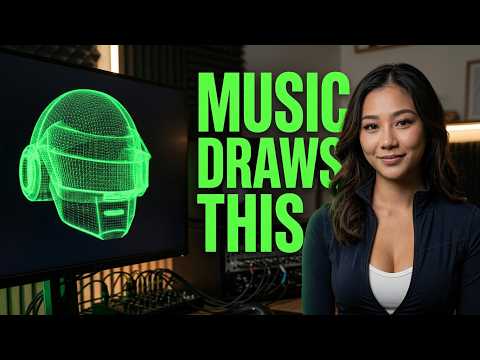
Getting Started with OSC-1
One click of oscilloscope music — the audio literally draws the image — then scope presets, beam styling, and a 3D model traced live on the scope.
66 sec · watch on: OSC-1 — Getting Started
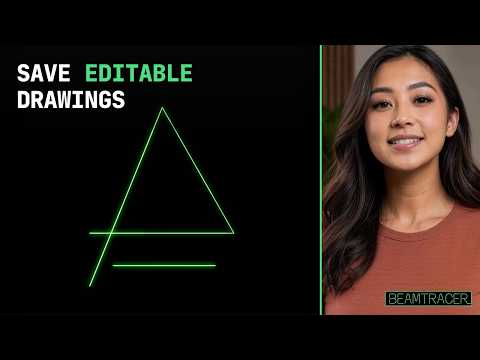
Oscilloscope Music: Save and Reopen an Editable Drawing in OSC-1
Save and reopen editable strokes and drawing settings in OSC-1, keep an edited copy, then carry SVG artwork to Image to Laser.
2 min · watch on: How do I save an editable oscilloscope drawing in OSC-1?

Turn a 3D Model Into Oscilloscope Art
Trace the built-in Trio on the XY scope, see what Hide Hidden Lines and each Edge Mode do to the picture and the sound, read the hardware point budget, then import your own GLB and export a 192 kHz WAV.
3 min · watch on: 3D Model to Oscilloscope or Laser Art in Your Browser

Oscilloscope Music: How Hidden Line Removal Changes the Sound
Load a 3D model in OSC-1, compare hidden lines on and off, see why changing the drawing changes its audio signal, then inspect the exported ILDA frame.
2 min · watch on: Hidden Line Removal Makes Your 3D Model Sound Better

Why Your Oscilloscope Image Is Blurry (It's the Sample Rate, Not the Scope)
See the same word drawn from 44.1, 96 and 192 kHz files in OSC-1, read the loaded rate on the Current Source card, then sharpen a trace two ways: raise the sample rate or slow the drawing frequency.
3 min · watch on: Why Your Oscilloscope Image Is Blurry: Sample Rate and Trace Detail

Three Copies Is a Chord on an Oscilloscope
Drawing a shape twice on an oscilloscope is an octave. Raise Copies in OSC-1 and read the interval, then set Freq X and Freq Y and read the Lissajous ratio.
2 min · watch on: Where Oscilloscope Music's Chords Come From

Oscilloscope Music: How Sound Becomes a Drawing
Type X/Y recipes into Scope and hear what they draw: one slow point, a 220 Hz circle, phase and mono, a perfect fifth and alternating circles, then send the drawing to a laser.
3 min · watch on: How Does Oscilloscope Music Work?

Square vs Circle on an XY Oscilloscope: Sine and Square Waves for Oscilloscope Music
Switch the OSC-1 Oscillator from SINE to SQUARE and the circle becomes four bright corners. See both channels on SCOPE, sweep the right channel to 0, 45 and 90 degrees, record the picture with its sound and stream it to the DAC Simulator.
2 min · watch on: Draw a Square on an XY Oscilloscope

How to Measure Stereo Phase on an Oscilloscope (Circle, Line and Ellipse)
Turn on SCOPE and MEAS in OSC-1 and read R lags L while CIRCLE, LINE and ELLIPSE set 90, 0 and 45 degrees. Flip the right channel to 180 degrees, overlay both waveforms and stream the signal to the DAC Simulator.
2 min · watch on: Measure Stereo Phase on an Oscilloscope

Oscilloscope Music: Hear and See What Harmony Looks Like
Hear intervals while Scope draws them: a just fifth, phase, just and equal-tempered thirds, harmonics, beats and chords in 3D, then send the figure to a laser.
3 min · watch on: What Harmony Looks Like

How to Draw Two Things at Once on an Oscilloscope
One oscilloscope beam draws several separate circles: open Creator, raise Copies, pick a Layout and Spread, then export an ILDA frame.
2 min · watch on: How to Draw Two Things at Once on an Oscilloscope

What Audio Effects Look Like on an Oscilloscope
Every audio effect has a visible signature on an XY oscilloscope. Sweep the low-pass filter in the OSC-1 synth, add Delay and Phaser, then Crush the beam to change the picture without changing the sound, and export an ILDA frame.
2 min · watch on: What Audio Effects Look Like on an Oscilloscope

Oscilloscope Music on a Laser: Play It Live in Your Browser
Stream an oscilloscope-music track from Scope to a laser in real time: rehearse on the free DAC Simulator with PHYSICS mirrors, see why corners round off, then ARM, START, black out and pick a Helios, Ether Dream, LaserCube or IDN.
2 min · watch on: Oscilloscope Music on a Laser Projector

Getting Started with BT Laser Studio
One-click image-to-laser conversion with a built-in safety check, the full tool set, and the free ILDA viewer with a 3D beam preview.
64 sec · watch on: BT Laser Studio — Getting Started

Check an ILDA File Before You Connect a Laser (Point Rate & File Health)
Load an ILDA file in the free ILDA Viewer and read FILE HEALTH: VALID for structure, then WITHIN, NEAR LIMIT or OVER LIMIT for point demand at 30 and 10 FPS on Standard 30k and High-Speed 60k. Orbit it in Cinema and play it in the Laser Show visualizer.
2 min · watch on: Check an ILDA File Before Connecting a Laser

Lottie to Laser: Export an Animated ILDA File with BeamTracer
Turn a Lottie animation into ILDA frames, inspect the export in ILDA Viewer, and open the original artwork in OSC-1.
2 min · watch on: Lottie to Laser

Halloween Laser Ideas: Make ILDA Files from Lottie and SVG Art
Convert a floating Lottie ghost and pumpkin SVG into laser artwork, inspect the ILDA frames, and understand free export and player limits.
3 min · watch on: Halloween Laser Ideas

Turn John Whitney Animation into Laser Graphics | BeamTracer Video to Laser
Compare a geometric source video with its traced paths, convert a short test, and export an ILDA animation.
2 min · watch on: Geometric Animation to Laser Graphics

SVG to ILDA, Start to Finish
Three ways to bring artwork in, the live trace, Output Stats and the Safety Check, animation modifiers, then Download ILDA or open the 3D viewer before anything reaches hardware.
2 min · watch on: How to Convert SVG to ILDA

Laser Show Safety: the US Rules in 3 Minutes
The US rules for a legal laser show: the FDA variance, 3 m up and 2.5 m out, beam termination, E-stop and scan-fail, then previewing clearance free in the ILDA Viewer.
3 min · watch on: Laser Show Safety (US)
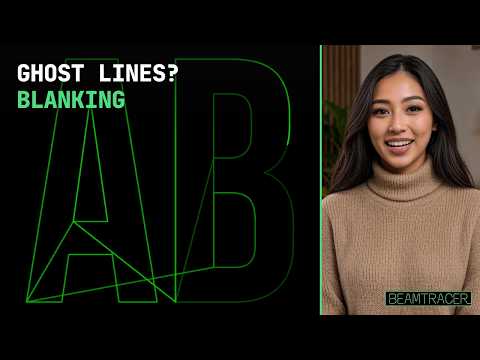
Laser Blanking Explained: How to Fix Ghost Lines Between Letters
Why a laser draws lines between letters and how to tell a bad file from a mistimed projector: the blanking flag, Scanner Path and Point Details in the free ILDA Viewer, Export Rate, and Color delay.
2 min · watch on: Laser Blanking Explained

Audio-Reactive Laser Show: How to Export a Beat-Synced ILDA File
Make a circle pulse with the bass in Animation Studio, export the reaction as ILDA frames, check it in the ILDA Viewer, and keep playback synchronized with the track.
2 min · watch on: Export an Audio-Reactive Laser Show

Make a Music Visualizer From Your MP3
Drop a track into a browser tab and watch it move — 140 visualizers two keys apart, layered so the result is yours, exported for any platform up to 4K.
2 min · watch on: How to Make a Music Visualizer From an MP3
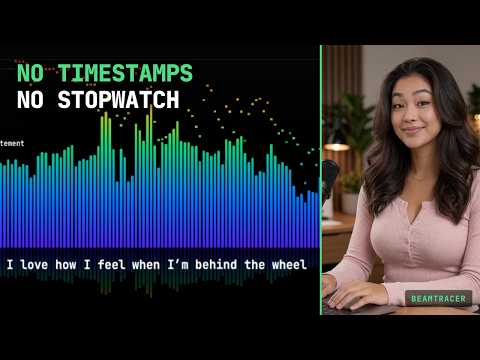
Make a Lyric Video Without Typing a Timestamp
Studio listens to the track and places the lyrics itself — then hands the timing back as LRC for the platforms or SRT for real YouTube captions.
2 min · watch on: How to Make a Lyric Video Without Typing a Single Timestamp

Animated Album Cover for Apple Music: Make a Silent MP4
Put song-driven Flow Lines over your cover in Studio, export an eight-second silent MP4 working file, and load it in Performer.
3 min · watch on: How Do I Make an Animated Album Cover for Apple Music?

Add a Countdown Timer to a Workout Video
A ring and a clock burned onto phone footage in a browser tab — no plugin, no template subscription, and no screen-recording a stopwatch.
2 min · watch on: How to Add a Countdown Timer to a Workout Video

How to Add a Timer to a Video in CapCut (Without Stacking 45 Text Clips)
Choose between countdown stickers, manual text clips, and a rendered countdown with a progress ring that imports into CapCut as an MP4.
2 min · watch on: How to Add a Timer to a Video in CapCut

How to Add a Countdown Timer in Final Cut Pro Without a Plugin
Build a synchronized countdown and progress bar from existing workout footage, export the finished MP4, and bring it into Final Cut Pro without a timer plugin.
2 min · watch on: Add a Countdown Timer in Final Cut Pro Without a Plugin

How to Add a Stopwatch Overlay to a Video (Without Screen-Recording Your Phone)
Render a real stopwatch over your footage in a browser tab, add a progress ring that reads the same window, set the length with Trim for Export, and drop the MP4 into whatever you already edit in.
2 min · watch on: Stopwatch or Timer Overlay on a Video (No Screen-Recording)

Time a Whole Workout, Not Just One Clip
A named interval timer over a full session — warm up, every exercise, every recovery, cool down — and the trick of exporting the timer before you film.
2 min · watch on: Workout Timer Overlays for Long Videos

Make a Spotify Canvas in 8 Seconds
Pick the Spotify Canvas preset, drag the green box to the eight seconds you want, hide what Spotify draws over, and render the silent 608×1080 MP4 that passes upload.
2 min · watch on: How to Make a Spotify Canvas (And Why Yours Got Rejected)

Your MP3 Already Has the Album Art
Studio reads the title, artist, album, cover art, and lyrics out of the file's tags and lands them as editable layers the moment the track loads. Plus the bare-file case and fixing the tags once.
2 min · watch on: Album Art Music Visualizer: Stop Retyping Your MP3 Tags

Music Frequencies Explained: See Bass, Mids and Highs
Every band from 20 Hz to 20 kHz made visible: the Timeline painting a track red, green and blue the way a DJ deck does, then the Audio Analysis Engine's Spectrum and Band energies cards showing where each instrument sits.
3 min · watch on: Music Frequencies Explained: See Bass, Mids and Highs Live

How to Read a Loudness Meter: LUFS in Plain Language
Understand momentary, short-term and integrated loudness, then check true peak and loudness range with BeamTracer’s browser meter.
3 min · watch on: How to Read a Loudness Meter: LUFS in Plain Language

Streaming Loudness Targets: Why Your Track Plays Quieter
Predict playback level changes, see why true-peak headroom can limit a quiet track’s boost, and check your own master with BeamTracer’s browser tools.
3 min · watch on: Streaming Loudness Targets: Every Platform, Sourced

PSR, PLR and LRA: Is Your Master Losing Punch?
Read PSR, PLR and LRA together to investigate lost punch, compare whole-track dynamics and follow live short-term readings.
2 min · watch on: PSR, PLR and LRA Explained: How Dynamic Is Your Master?

Level Your Livestream Audio in the Browser
Level a multi-host stream with the free Loudness tab: pick the input, set the target to EBU R128, read in LU so correct is zero, level one voice at a time, and watch ST UNDER and TP OVERS during the show.
2 min · watch on: Level Livestream Audio in the Browser: No Second PC