
START WITH A REPEATABLE SOURCE
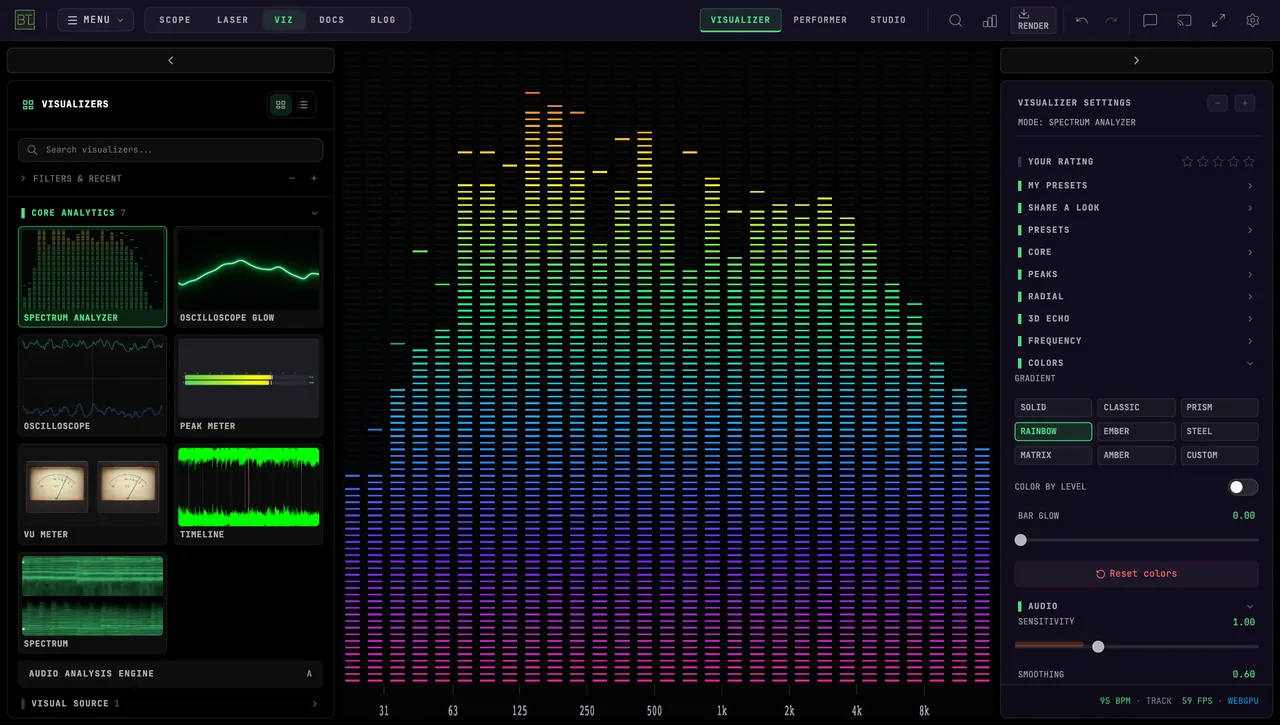
Spectrum Analyzer in Rainbow, responding to the included Orbital Perlin Blob track. This silent app example lets you compare the same music passage before connecting your mixer.
AUDIO VISUALIZERS
BeamTracer Audio Visualizers is a free audio visualizer app for Chrome and Edge, with 198 modes for live music, streams, and videos. Use an audio file, microphone, or supported tab audio capture to drive the visuals. Free video exports include a watermark; paid plans add options for higher-resolution and commercial work.
Free to start · No credit card · Nothing to install
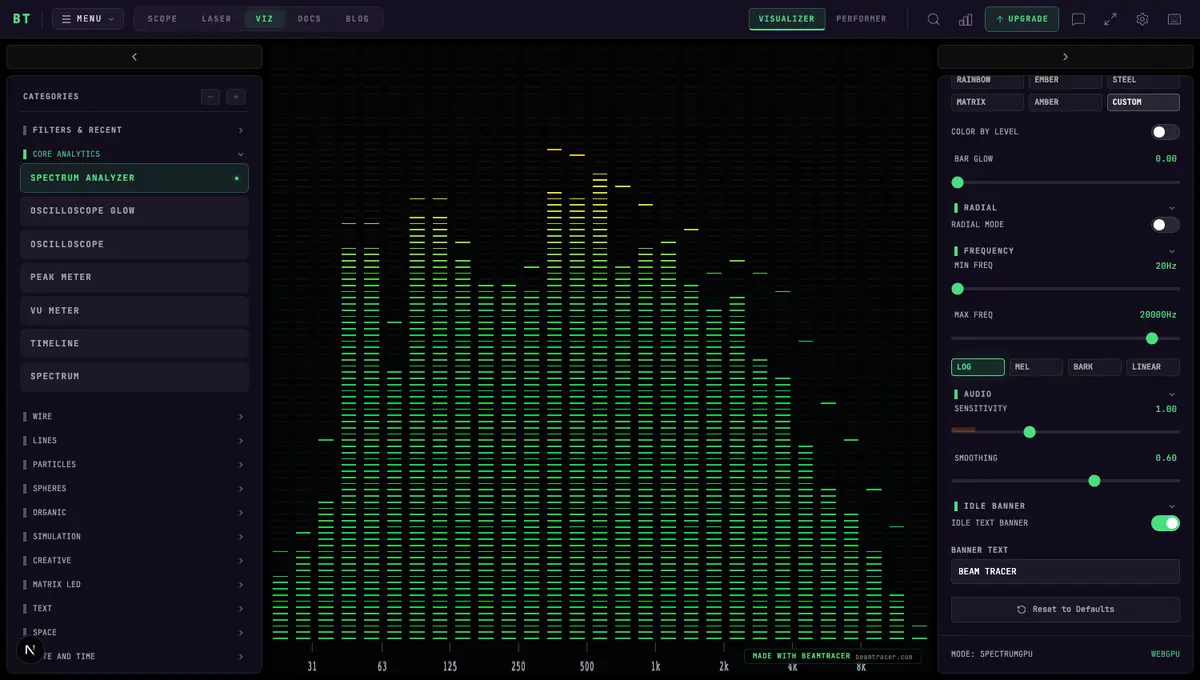
Choose an audio visualizer app by your audio source and intended output. BeamTracer Audio Visualizers suits live, sound-reactive visuals in a browser: play a local track, use a microphone, or capture a supported browser tab. Choose BeamTracer Studio when the finished video also needs titles, lyrics, artwork, or a vertical composition.
For listening, start with the demo track and try a few modes. For a live set, test your input and controller before performing. For a music video, check the export limits and music rights before sharing. Live playback responds immediately; producing a finished video still takes a render or recording pass.
Choose an audio source for a file, microphone, browser tab, or routed desktop audio.
Open BeamTracer Studio to compose a video with lyrics, titles, and artwork.
Compare browser and desktop visualizers if you need a different performance or editing workflow.
Explore 198 visualizer modes with the same track, then adjust the look and audio response. Connect a microphone or audio interface for live sound, or load a local file for repeatable playback.
The catalog spans 15 categories, from precise metering to fluid simulations and full 3D scenes: Core Analytics, Visual Source, Wire, Lines, Particles, Spheres, Organic, Simulation, Creative, Matrix LED, Text, Space, Date and Time, Backgrounds, Winamp Tribute. Explore WebGPU modes in Chrome or Edge, alongside spectra, scopes, and meters.
Because it is a web app, the thing you open on your laptop at soundcheck is the same thing you open on a borrowed machine at the venue. Sign in with a supported paid plan to sync eligible saved settings; check your controller setup on the new machine.
Make a Spotify Canvas with a silent vertical loop in Studio.
Explore the Audio Analysis Engine to see frequency, stereo, rhythm and loudness before assigning visual movement.
Feed BeamTracer from your music source, choose a look in Performer, then send the live canvas to a projector window or capture it in OBS. Use Chrome or Edge on your show computer and rehearse the audio and output together before the set.
Open Performer to try the controls, or follow the complete DJ setup walkthrough.
Choose TAB / SYSTEM AUDIO for a supported browser capture, or MICROPHONE / VIRTUAL AUDIO DEVICE for your interface or routed DJ software. Confirm the input meter moves.
Prepare a quiet look, an energetic look and a fallback. Practice changing presets; add MIDI Learn once the manual changes work.
Choose Output stage → Projector window for a clean local window, or capture the visual window in OBS. Check framing, motion and latency on the display you will use.
Spectrum Analyzer in Rainbow, responding to the included Orbital Perlin Blob track. This silent app example lets you compare the same music passage before connecting your mixer.
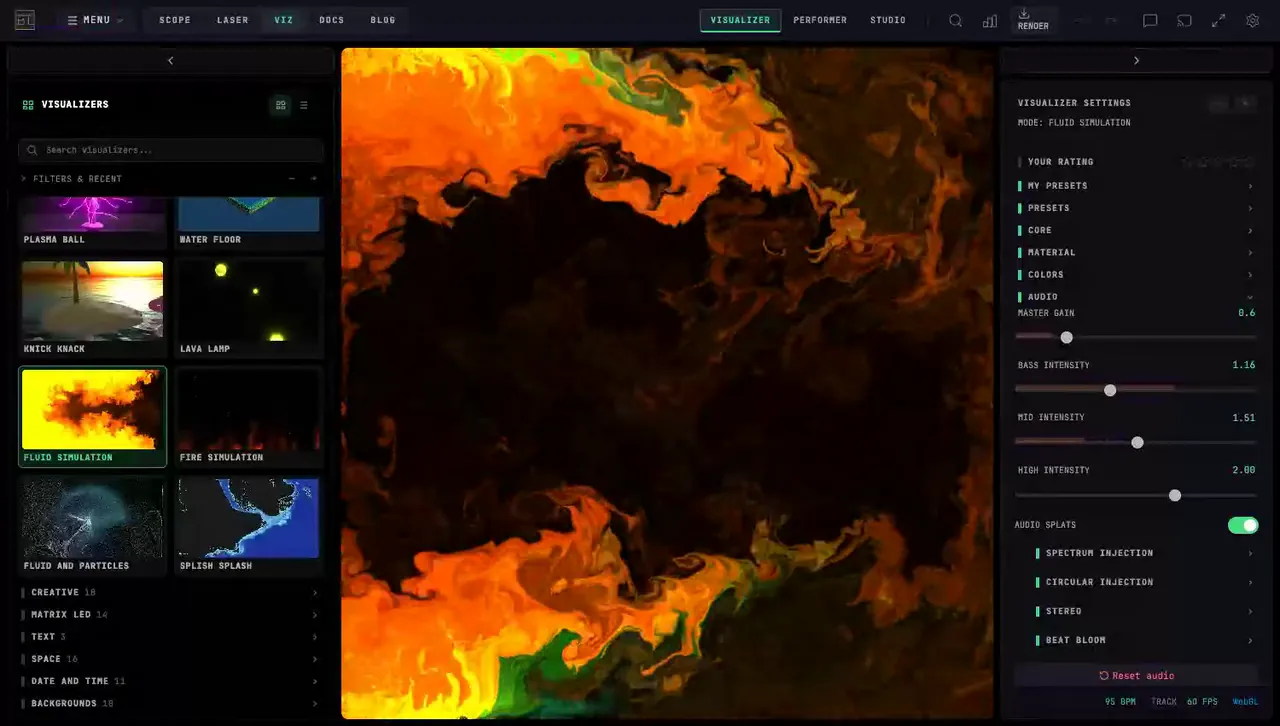
Fluid Simulation follows the same track with flowing color. Compare motion on a quiet passage as well as the drop, then choose a look you can operate during the set.
The examples above show browser visuals driven by a music file. Your mixer, controller, projector and venue latency need their own rehearsal. See audio routing, MIDI setup, OBS and projector output, and browser requirements.
Try the visuals free for personal use. Paid live shows and other commercial work require an eligible plan; compare pricing and commercial-use rights.
From a blank tab to your first sound-reactive visual: play the demo track, pick a visualizer, capture your own music, customize live. Follow along in the written guide or browse all tutorial videos.
15 categories covering spectrum analysis, particle systems, fluid and physics simulations, LED matrix effects, typography, space scenes, and full-canvas backgrounds. Every mode is audio-reactive.
Route any audio signal to any visual control — bass, mid, high, volume and more, with live meters showing exactly what is reaching each parameter. Set it once and the visual plays itself.
Web MIDI with Learn mode: touch a knob, touch a control, done. Native APC Mini MK2 support, plus bidirectional OSC for TouchOSC and Max/MSP.
Record what you see at 720p, 1080p, or 4K with audio, and upload straight to YouTube, TikTok, or Instagram. No screen-capture workaround, no second application.
No download, no account, no card. The app loads in a tab and every mode is available on the free tier.
Play the demo track, drop in a file of your own, or switch to a live input so it follows whatever is in the room.
Pick a mode, try the presets, then open the settings for the part of the image you want to change. Route audio to any control and the visual starts playing itself.
The established VJ tools — Resolume, Synesthesia, VDMX, TouchDesigner — are desktop applications you buy, install, license, and keep updated, and most are Windows and macOS only. They are deep, mature software, and for clip compositing or node-graph work they go further than this does.
BeamTracer lets you try every visualizer mode on the free tier without installing a desktop editor. On another supported machine, sign in with an eligible paid plan to sync saved settings, then check your controller connections and performance before the show.
The other difference is where the depth sits. Instead of building a look from primitives, you get 198 finished, audio-reactive modes and a modulation matrix for wiring sound to any control in them. If you want to design a bespoke generative system, a node graph is the better tool. If you want to be performing in a few minutes with a controller in your hands, this is faster.
Map a controller and prepare presets for your set. Load the modes and audio you need, then rehearse the performance on the machine you will use.
Capture the window in OBS as a reactive background, or record straight to 4K for a music video, lyric video, or podcast visual.
Turn a finished track into something watchable for release day. Point the spectrum tools at a mix and you have honest metering as well as visuals — including EBU R128 loudness (LUFS) measured right in the browser, which desktop metering plugins still make you install for.
The free tier opens every mode. There is no trial clock and no card required — the limits are on presets, export resolution, and watermarking, not on what you can look at.
BeamTracer can react to sound from a browser tab when Chrome or Edge offers audio sharing. Open Audio, choose CHANGE, then TAB / SYSTEM AUDIO and CONTINUE. Select the playing tab with audio sharing enabled. A Spotify or YouTube page URL is not an internet-radio stream URL. Desktop-app audio needs a supported system-audio capture or a routed audio input; availability depends on the browser and operating system.
Check audio capture setupYes. Open BeamTracer Audio Visualizers in Chrome or Edge, open Audio, choose CHANGE, then AUDIO FILE and LOAD AUDIO FILE. MP3, WAV, FLAC, OGG, AAC, and M4A are supported. Choose a visualizer and start playback; use Studio when you want to arrange a finished music video.
Make a music visualizer from an MP3BeamTracer is a browser app. Viz has a phone layout with a full-width preview and bottom control panels, but that does not make every desktop feature available on every phone. Visualizer, audio-capture, MIDI, and export support depend on the device and browser. Use Chrome or Edge on a supported desktop for the full workflow, and check the browser guide before relying on a phone for a performance.
Check browser and device supportYes. The free tier opens all three BeamTracer apps with five presets, 1080p export, and a small watermark on exported media. No credit card. Paid tiers lift those limits and add cloud sync and commercial-use rights.
Use an up-to-date Chrome or Edge browser for the full catalog. Check the browser and hardware requirements in the documentation before connecting an input or output device.
Load the modes and audio you need before disconnecting, and rehearse your set. AI tools, cloud sync, and loading new online assets require a connection.
Commercial use — live shows, client work, monetised video — is included with the Pro, Bundle, and Studio tiers. The free tier is for personal, non-commercial use.
BeamTracer offers ready-to-play audio-reactive modes and controller mappings in a browser. Compare the input, composition, and output features you need, and try your intended setup before choosing a tool. Performance depends on the device and composition.
It takes about ten seconds to find out whether this is what you want. Nothing to install, nothing to sign up for.