
BEAMTRACER STUDIO
SPOTIFY CANVAS MAKER
Turn your track and artwork into a short, audio-reactive vertical loop. Choose the Spotify Canvas preset in Studio and export a silent MP4, ready to check and upload in Spotify for Artists.
Free to start · No credit card · Nothing to install
HOW DO I MAKE A SPOTIFY CANVAS?
Open BeamTracer Studio, choose the Spotify Canvas format, and load your own music. Add artwork or a visualizer, choose a loop of three to eight seconds, then export the silent MP4 and upload it in Spotify for Artists.
The launch button offers the Canvas format before changing your current composition. Your track and layers stay in place; check the new vertical crop before rendering.
CHOOSE YOUR TRACK AND LOOK
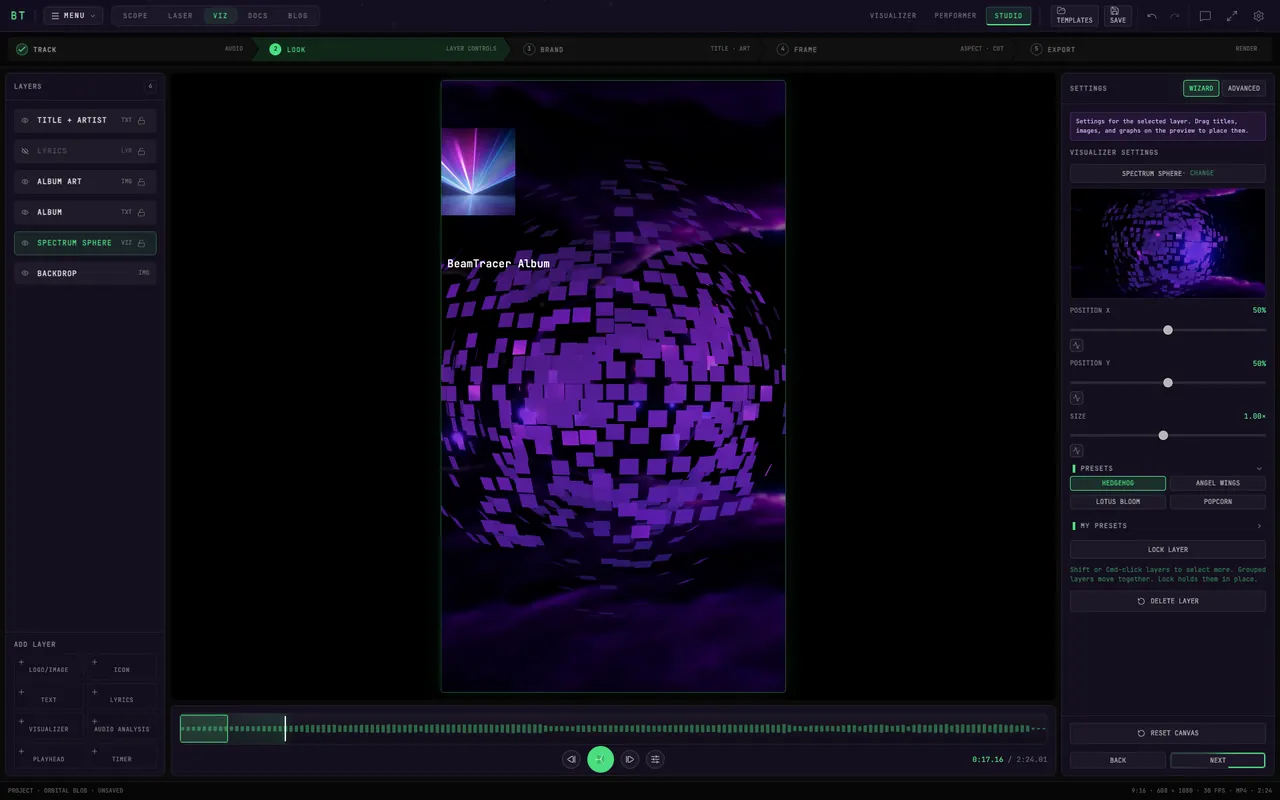
Select USE SPOTIFY CANVAS, load your track with UPLOAD YOUR OWN, and choose artwork and audio-reactive visuals.
FRAME A SHORT LOOP
In FRAME, choose a three-to-eight-second range. Keep the subject centered and preview the join from the end back to the start.
EXPORT YOUR MP4
Open EXPORT and check MP4 · SILENT, 608×1080 and 30 fps. Render, check the downloaded file, then add it to your track in Spotify for Artists.
SEE A CANVAS-SHAPED LOOP

This silent, 7.5-second preview shows the composition in motion. The web preview is reduced to 516×918; the Studio Canvas preset exports a 608×1080 MP4. Choose matching start and end motion for a smooth repeat.
WHAT DOES THE CANVAS PRESET EXPORT?
- Frame
- Vertical 9:16 Canvas preset
- Dimensions
- 608×1080 pixels
- Length
- Up to eight seconds; choose at least three seconds for Spotify
- File
- MP4 · 30 fps · no audio track
- Workflow
- Render locally, download, then upload through Spotify for Artists
Spotify’s Canvas guidelines specify a vertical video, three to eight seconds long and 720–1080 pixels tall. Check the finished file and current guidelines; a correctly sized file still needs to meet Spotify’s content policy.
CAN I TRY IT FREE?
Start and preview in the browser without a credit card. Free video exports have a watermark and monthly limits. Paid plans provide clean exports and commercial-use rights; check current plans before preparing a commercial release.
Use music and artwork you have permission to publish. Studio prepares the video; uploading it to Spotify is a separate step in your Spotify for Artists account.