
FREE · MACOS · MENU BAR
BEAMTRACER BRIDGE
Your browser, wired to the laser and lighting hardware it cannot reach alone. Install once. Every BeamTracer app finds it by itself.
Version 0.1.0 · 2.9 MB · Signed and notarized · macOS 15 or later · Apple Silicon
- CHROME · EDGEany BeamTracer app
- BRIDGEmenu bar · paired once
- ETHER DREAMLAN · found automatically
- LASERCUBEWi-Fi · Ethernet · USB
- PONKNetwork beam output
- DMX CONSOLESsACN (E1.31) · Art-Net in
Have a Helios DAC? It plugs straight into Chrome or Edge over USB. No Bridge needed — see Laser DAC Output.
INSTALL AND PAIR
Three steps, once. After that the Bridge is just there.
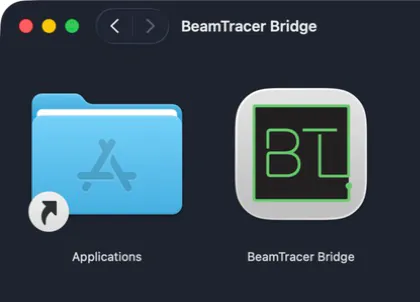
Open the disk image and drag BeamTracer Bridge onto Applications.
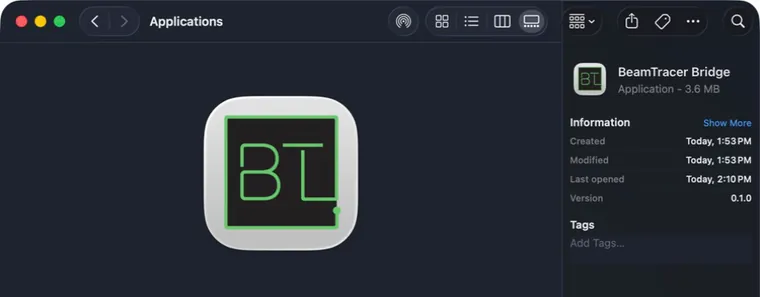
Eject the image and open BeamTracer Bridge. It lives in the menu bar as a square BT icon.
Click the BT icon, then OPEN BEAMTRACER — or type the four-digit pairing code where a BeamTracer app asks for it.
The Bridge is free and runs on the same Mac as your browser. Sending frames to real hardware is part of the Studio plan; every account gets three free output sessions to try it.
Verify the download
The app is signed and notarized for macOS. To check the file yourself, compare its shasum -a 256 with:
a260bd5bbe73ce88fe9069ec3c6a24d568c348521ed08c6ee2183460c834d811